Lecture 1 — Turtle Basics
Lecture 1 — Turtle Basics⌗
Instructor: Laksh Budhrani
Objective⌗
- Set up your project folder and Python file for Turtle.
- Understand the Turtle canvas and the turtle’s default direction.
- Draw your first simple shape using
forward()andleft().
Objective 1 — Project Setup⌗
1. Create your class folder⌗
- Go to your Desktop.
- Create a folder named:
CSE_BlockX_2026
Replace BlockX with your class block (example: CSE_BlockB_2026).
This folder will store all your work for the entire year.
2. Open the folder in VS Code⌗
- Open VS Code.
- Click File → Open Folder.
- Select your folder:
CSE_BlockX_2026.
3. Create your Python file⌗
Inside VS Code:
- Create a new file.
- Name it:
turtle_class1.py
This will be your file for Lecture 1.
4. Run your file⌗
We will run the file once we add the Turtle boilerplate code in the next section.
Objective 2 — Turtle Canvas & Angles (Anticlockwise System)⌗
Turtle Starting Position⌗
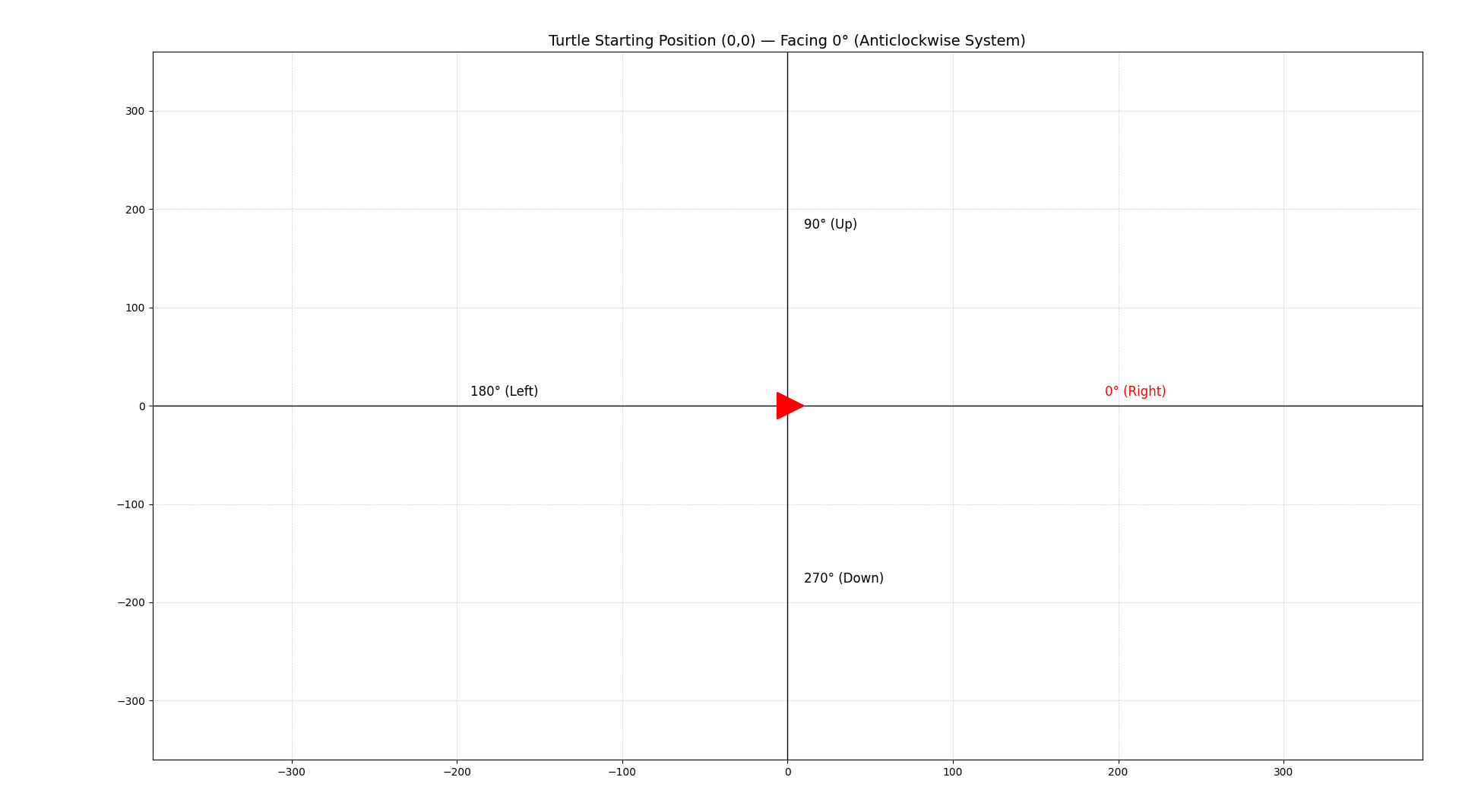
Below is the Turtle canvas using the anticlockwise angle system.
The turtle begins at the center of the screen at (0, 0) and faces 0°, which means to the right.
Key Points⌗
- Turtle starts at (0, 0).
- Default direction is 0° → Right.
- Basic angles:
- 0° → Right
- 90° → Up
- 180° → Left
- 270° → Down
- The graph helps you visualize how the turtle moves.
Objective 3 - Turtle Movement Basics⌗
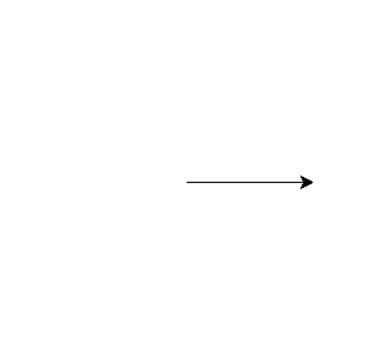
1. forward(distance)⌗
Moves the turtle straight ahead in the direction it is currently facing.
Example:
p.forward(100)
2. left(angle)⌗
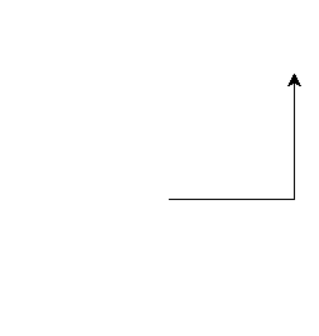
Turns the turtle anticlockwise by the given number of degrees.
Example:
p.forward(100)
p.left(90)
p.forward(100)
Whiteboard Drawing Activity (Guided)⌗
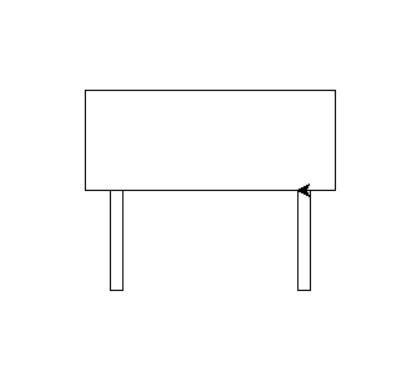
Whiteboard Image⌗
Explain in Plain English⌗
Write a short explanation (3–5 sentences) describing how you will draw this whiteboard using only:
forward(distance)left(angle)
Explain the steps in simple English, as if you are giving instructions to a friend.
Now Let’s Code It Together⌗
Use the Turtle boilerplate below and write your whiteboard‑drawing code inside the marked section.
import turtle as trtl

p = trtl.Turtle()
p.speed(0)

# --- ENTER YOUR CODE HERE ---
# (Write your whiteboard drawing steps using forward() and left())


# --------------------------------------------------------------
# (Stop writing code above this line)

wn = trtl.Screen()
wn.mainloop()
Notes⌗
- The whiteboard is a rectangle using simple 90° turns.
- The two supports are small rectangle drawn below the board.
- Only
forward()andleft()will be used.
Independent Activity — Simple Flag Drawing⌗
Flag Image⌗
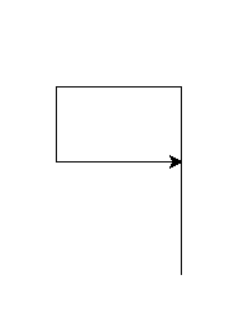
Your Task⌗
Look at the flag image above and draw it independently using only:
forward(distance)left(angle)
Use the Turtle boilerplate code provided earlier in this lecture.
Create Your Own File⌗
Create a new Python file in VS Code named:
turtle_class1_independent.py
Inside that file, use the boilerplate and write your flag‑drawing code in the section marked:
# --- ENTER YOUR CODE HERE ---
Submission Instructions⌗
Submit your work in Google Classroom by:
- Creating a Google Doc
- Pasting your code into the document
- Adding a screenshot of the output window showing your flag drawing
- Turn in the Google Doc to the assignment titled In‑Class Exercise 1