Lecture 13 - Introduction to Animation
Lecture 13 — Introduction to Animation⌗
Instructor: Laksh Budhrani
Objectives⌗
- Understand that an animation is made of repeated frames.
- Use a variable to change an object’s position over time.
How Animation Works⌗
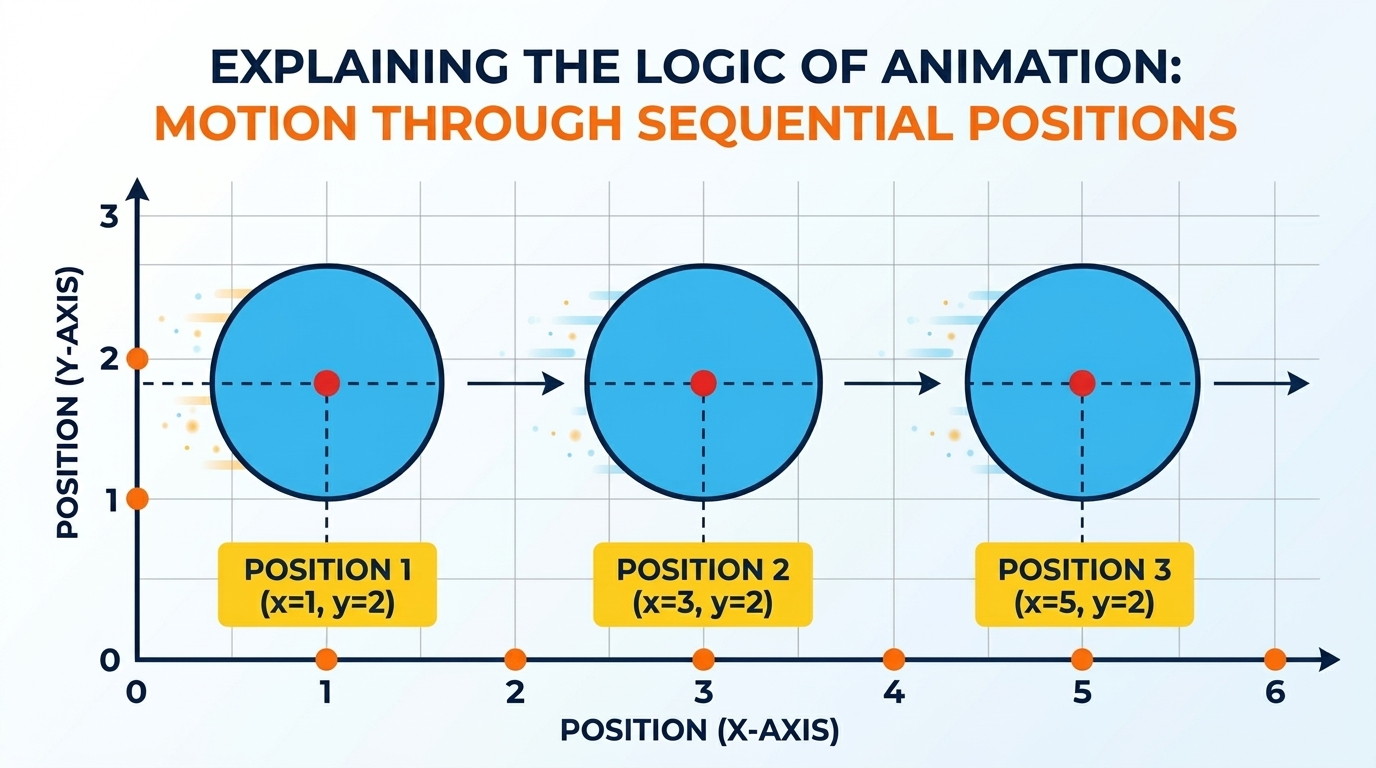
An animation redraws the scene many times per second.
- Draw the object at its current position.
- Change the position stored in a variable.
- Draw the object again at its new position.
Repeating these steps makes the object appear to move.
Setup — Create animation.py⌗
Create a Python file named animation.py and copy the following code
into it. This file provides the animation framework that we will use in
class.
import turtle

def run_sketch(draw_function, width=600, height=400,
               fps=30, bgcolor="skyblue"):
    screen = turtle.Screen()
    screen.setup(width, height)
    screen.bgcolor(bgcolor)
    screen.tracer(0)

    p = turtle.Turtle()
    p.hideturtle()
    p.speed(0)
    p.pensize(2)

    def frame_tick():
        p.clear()
        p.penup()
        p.goto(0, 0)
        p.setheading(0)

        draw_function(p)

        screen.update()
        screen.ontimer(frame_tick, int(1000 / fps))

    screen.ontimer(frame_tick, 100)
    screen.mainloop()
Guided Activity — Moving Car⌗
We will write the car animation code together in class.
Create a new Python file named animation_car.py.
Car Animation Video⌗
Starter Template⌗
Copy this template into animation_car.py. We will fill in the code
together.
from animation import run_sketch

def draw(p):
    pass
    # Write the car drawing code here


    # Update the car's position here


run_sketch(draw, bgcolor="lightblue")
Independent Activity — Moving Ship⌗
Create a new Python file named animation_ship.py.
Ship Animation Video⌗
Your Task⌗
Create a simple ship and animate it moving from left to right.
Your animation should:
- Draw a simple ship with a hull and a sail.
- Use a variable to store the ship’s horizontal position.
- Update the position each frame so the ship moves to the right.
Use the car animation as a guide, but write the ship code yourself.
Submission Instructions⌗
Submit your work in Google Classroom by:
- Creating a Google Doc.
- Pasting your code into the document.
- Adding a screenshot of the animation window.
- Turning in the Google Doc to the assigned activity.