Lecture 14 - Vertical Motion & Animation
Lecture 14 — Vertical Motion & Animation⌗
Instructor: Laksh Budhrani
Objectives⌗
- Understand how changing the Y-coordinate creates vertical movement.
- Apply variables to animate objects moving upward over time.
How Vertical Animation Works⌗
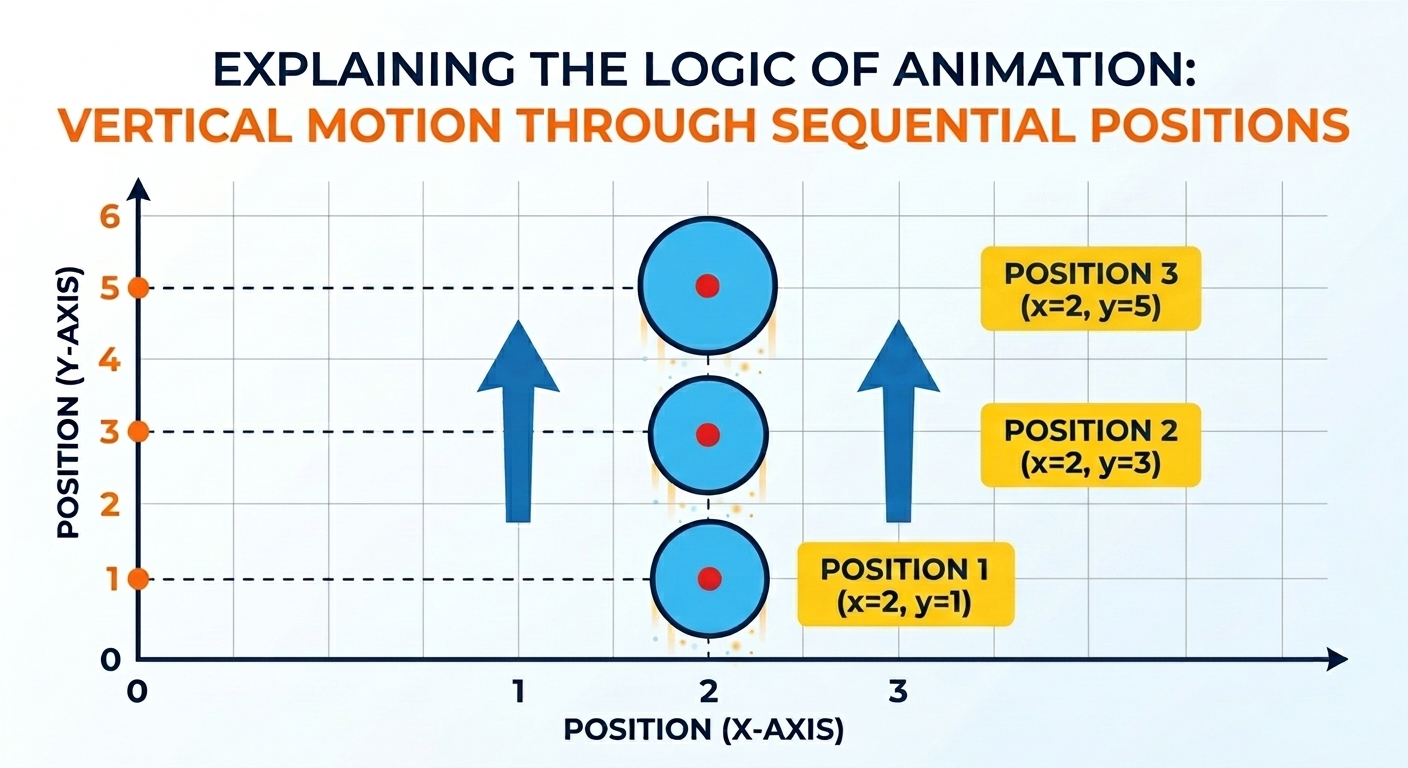
Moving an object up or down follows the exact same logic as horizontal movement, but instead of changing the X-coordinate, we change the Y-coordinate.
- Draw the object at its current vertical position (
y). - Increase or decrease the Y-variable each frame.
- Redraw the object at its new vertical coordinate.
Guided Activity — Moving Rocket⌗
We will write the rocket animation code together in class.
Create a new Python file named animation_rocket.py.
Rocket Animation Video⌗
Starter Template⌗
Copy this template into animation_rocket.py. We will fill in the code
together.
from animation import run_sketch

def draw(p):
    pass
    # Write the car drawing code here


    # Update the car's position here


run_sketch(draw, bgcolor="lightblue")
Independent Activity — Hot Air Balloon⌗
Create a new Python file named animation_balloon.py.
Hot Air Balloon Animation Video⌗
Your Task⌗
Create a hot air balloon and animate it moving upward from the bottom of the screen.
Your animation should:
- Draw a hot air balloon structure including the balloon bag, string lines, and a basket.
- Use a variable to store the balloon’s vertical position (
balloon_y). - Update the position each frame so the balloon floats upward toward the sky.
Use the rocket animation as a guide, but write the balloon code yourself.
Submission Instructions⌗
Submit your work in Google Classroom by:
- Creating a Google Doc.
- Pasting your code into the document.
- Adding a screenshot of the animation window.
- Turning in the Google Doc to the assigned activity.