Lecture 8 — Turtle Review Project
Lecture 8 — Turtle Review Project⌗
Instructor: Laksh Budhrani
Review / Recap⌗
Commands You Already Know⌗
| Command | Meaning (Simple) |
|---|---|
p.forward(steps) | Move forward |
p.backward(steps) | Move backward |
p.left(angle) | Turn left |
p.right(angle) | Turn right |
p.penup() | Lift the pen |
p.pendown() | Put the pen down |
p.pencolor(color) | Change line color |
p.pensize(size) | Change line thickness |
p.goto(x, y) | Move to a coordinate |
p.setheading(angle) | Point the turtle in a direction |
p.circle(r) | Draw a circle |
p.begin_fill() | Start filling a shape |
p.end_fill() | Finish filling a shape |
p.fillcolor(color) | Set fill color |
p.dot(size, color) | Draw a dot |
p.shape(name) | Change turtle shape |
p.stamp() | Stamp the turtle shape |
p.turtlesize(size) | Resize the turtle icon |
p.speed(value) | Change drawing speed |
wn.bgcolor(color) | Change background color |
Objectives⌗
- Review all turtle methods learned
- Choose one project to complete independently
- Use creativity + multiple turtle concepts
- Submit your final drawing in Google Classroom
Your Task for Today⌗
You will not learn new commands today.
Instead, choose ONE of the following projects and draw it using the turtle methods you already know.
Option 1 — American Flag⌗
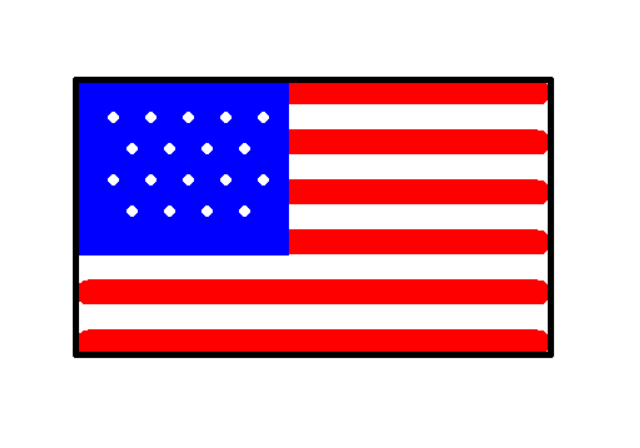
You may use:
p.forward,p.pensize,p.begin_fill,p.end_fill,p.shape,p.stamp,p.goto, etc.
Option 2 — House Drawing⌗
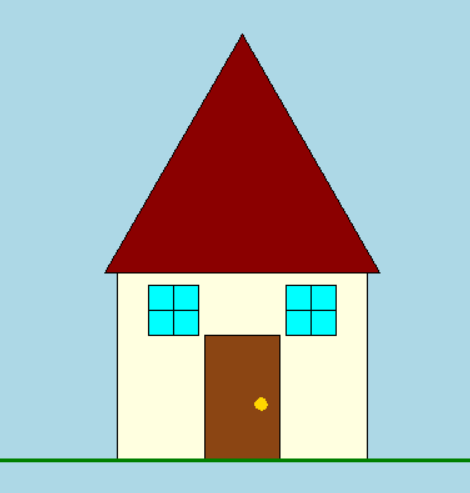
You may use:
p.begin_fill,p.end_fill,p.circle,p.goto,p.fillcolor,p.pencolor, etc.
Option 3 — Solar System⌗
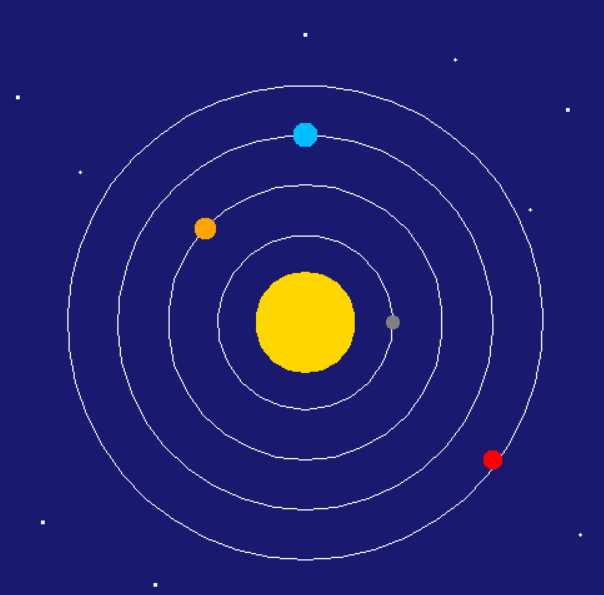
You may use:
p.dot,p.circle,p.goto,p.speed,wn.bgcolor, etc.
Option 4 — Something Else⌗
You may create your own idea, but only if:
- it uses multiple turtle methods
- it is appropriate
- you get instructor approval
Boilerplate Code⌗
Create a new Python file in VS Code named:
turtle_class8.py
import turtle as trtl

p = trtl.Turtle()
p.speed(0)

# --- ENTER YOUR CODE HERE ---
# (Choose one project and draw it using turtle methods)


# --------------------------------------------------------------
# (Stop writing code above this line)

wn = trtl.Screen()
wn.mainloop()
Submission Instructions⌗
Submit your work in Google Classroom under:
Assignment 1 — Turtle Review Project⌗
Include:
- A Google Doc
- Your code pasted inside
- A screenshot of your final drawing
- Turn it in before the deadline
Reminder⌗
This is your review assignment.
Use creativity, color, shapes, and all turtle methods you’ve learned.
Have fun drawing!