Lecture 16 — Div, Span & Dimensions in CSS
Lecture 16 — Div, Span & Dimensions in CSS⌗
Instructor: Laksh Budhrani
Objectives⌗
By the end of this lesson, you will be able to:
- Understand the purpose of
<div>and<span>tags. - Differentiate between
<div>,<span>, headings, and paragraphs. - Use
widthandheightproperties to control the dimensions of HTML elements.
Quick Recall: Lecture 14 & 15 Review⌗
Before we jump into today’s lesson, let’s quickly review the CSS properties we have learned so far!
| Property | What It Does |
|---|---|
background-color | Changes the background color |
font-family | Changes the font |
color | Changes the text color |
font-size | Changes the text size |
text-align | Aligns text horizontally |
text-decoration | Adds or removes decorative lines |
Class Check-In: Does anyone have any questions or doubts about these six CSS properties before we move on to today’s lesson?
Objective 1 — The <div> Tag⌗
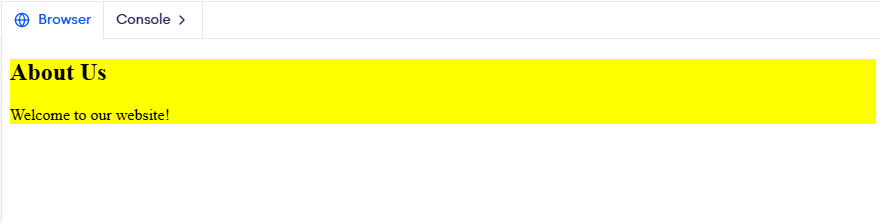
What it does: The <div> tag creates a container that groups HTML elements together. It helps organize different sections of a webpage.
Unlike headings and paragraphs, a <div> does not have any special meaning or appearance by itself. It is mainly used to group content so that we can style it together using CSS.
Example:
<div>
    <h2>About Us</h2>
    <p>Welcome to our website!</p>
</div>
Objective 2 — The <span> Tag⌗
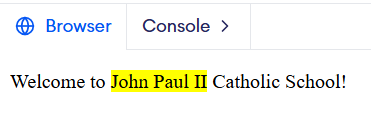
What it does: The <span> tag creates a small container around a part of text. It allows us to style that specific portion without affecting the entire paragraph or heading.
Example:
<p>
    Welcome to <span>John Paul II</span> Catholic School!
</p>
<div> vs. <span> vs. Other HTML Tags⌗
| Tag | Purpose |
|---|---|
<h1> – <h6> | Creates headings |
<p> | Creates paragraphs |
<div> | Groups larger sections or multiple elements |
<span> | Groups a small part of text |
Remember:
<div>is generally used to group larger sections of a webpage.<span>is generally used to style a small part of text.- Headings and paragraphs have specific purposes, while
<div>and<span>are general-purpose containers.
Objective 3 — Width and Height Properties⌗
a) width⌗
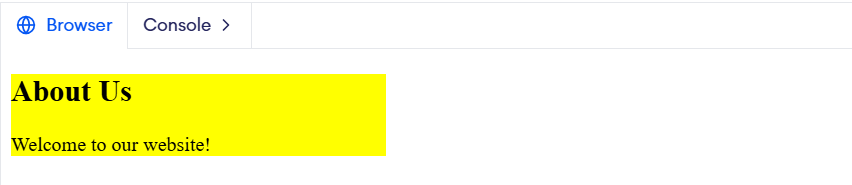
What it does: Controls the width of an HTML element.
Basic Values: 100px, 200px, 300px, 400px, etc.
Example:
div {
    width: 300px;
}
b) height⌗
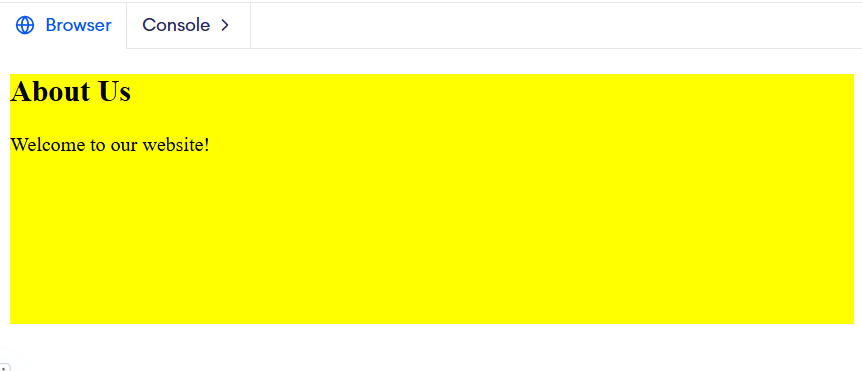
What it does: Controls the height of an HTML element.
Basic Values: 100px, 150px, 200px, 300px, etc.
Example:
div {
    height: 200px;
}
Guided Activity — JP2 Student Clubs⌗
The Story⌗
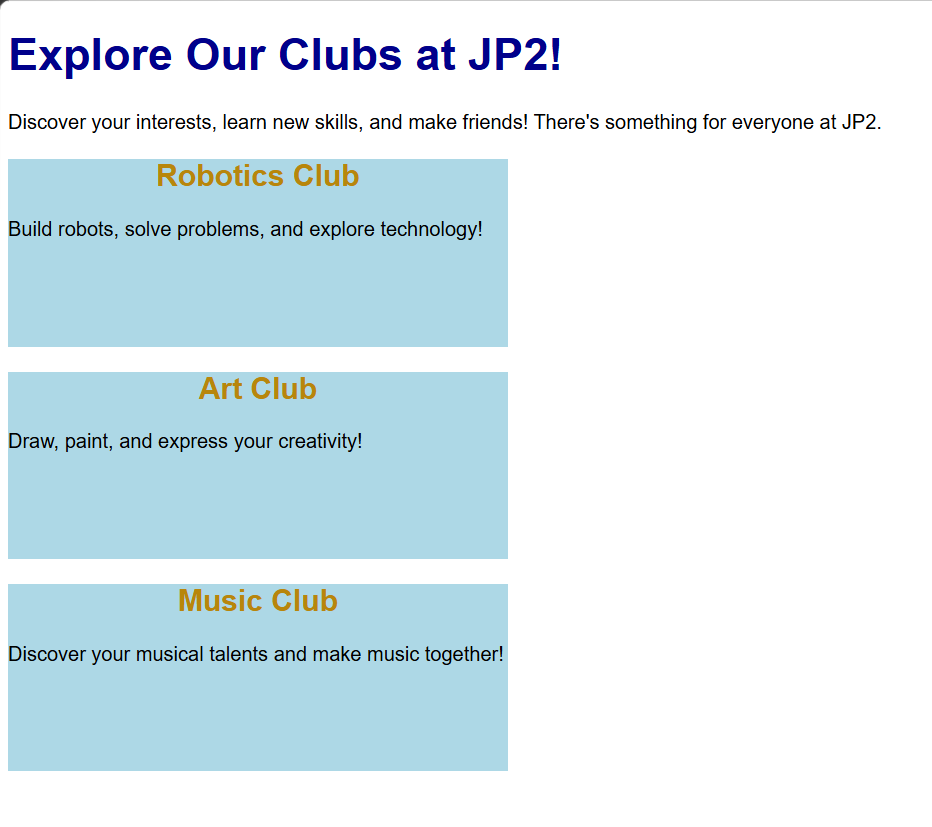
Sahil wants to introduce three student clubs at John Paul II Catholic School: Robotics, Art, and Music.
Let’s help him create a webpage showcasing these clubs!
HTML Starter Template⌗
Open your existing jp2_website.html file.
<!DOCTYPE html>
<html>

<head>
    <title>JP2 Student Clubs</title>
</head>

<body>

</body>

</html>
Your Task⌗
Create a section showcasing the three student clubs using <div> containers. Style them using CSS!
Independent Activity — Expand Your Favorite Website!⌗
Open your existing favorite_website.html file.
Your Task⌗
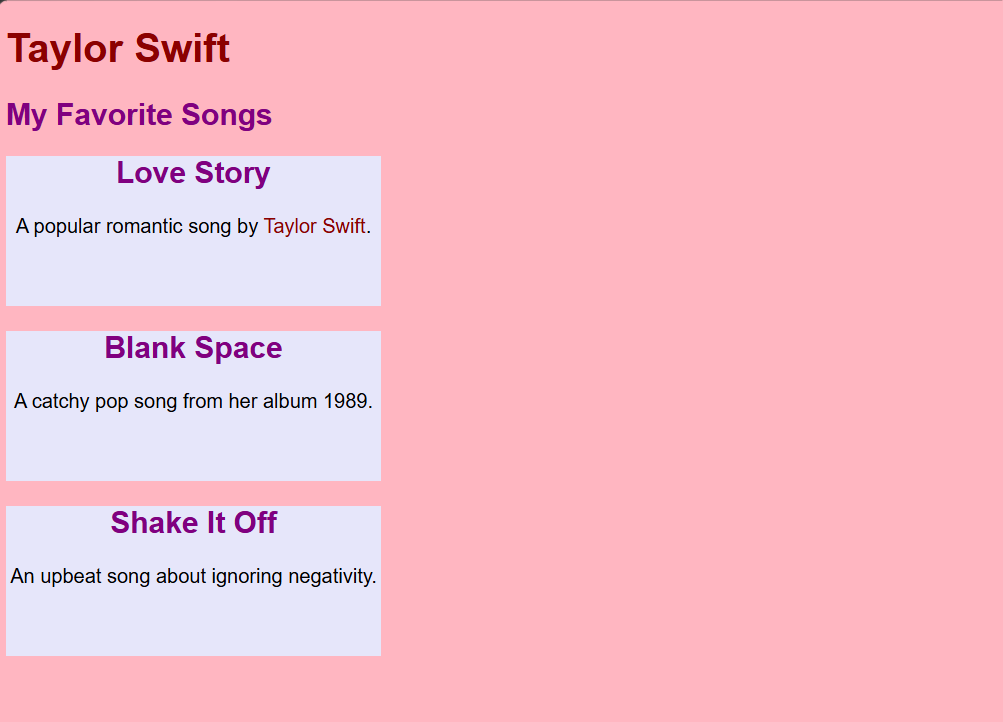
Create a section showcasing three items related to your chosen topic.
Examples:
- Singer → Three popular songs.
- Actor → Three movies or TV shows.
- Sports team → Three famous players.
- Movie series → Three movies in the series.
Use separate <div> containers to organize your three items. Style them using the CSS properties learned so far.
CSS Requirements:
- Use
widthandheightto control the dimensions of your containers. - Use
background-colorto give your containers different or matching colors. - Use at least two other CSS properties learned in previous lectures.
Summary: New HTML Tags & CSS Properties Learned Today⌗
| Tag / Property | What It Does |
|---|---|
<div> | Groups larger sections of content |
<span> | Groups a small part of text |
width | Controls the width of an element |
height | Controls the height of an element |