Lecture 2 — More Paired Tags & Formatting
Lecture 2 — More Paired Tags & Formatting⌗
Instructor: Laksh Budhrani
Quick Recall: Lecture 1 Review⌗
Before we jump into today’s mission, let’s do a quick check-in on what we learned last class:
| Tag | Name | What It Does | Example |
|---|---|---|---|
<h1> – <h6> | Heading | Creates headings of different sizes | <h1>Heading</h1> |
<p> | Paragraph | Groups text into structured blocks | <p>Text here...</p> |
<b> | Bold | Emphasizes text in bold | <b>Important</b> |
<i> | Italics | Slants text in italics | <i>Stylized note</i> |
Class Check-In: Does anyone have any questions or doubts about these 4 tags before we add 5 new ones to our toolkit?
The Story Continues…⌗
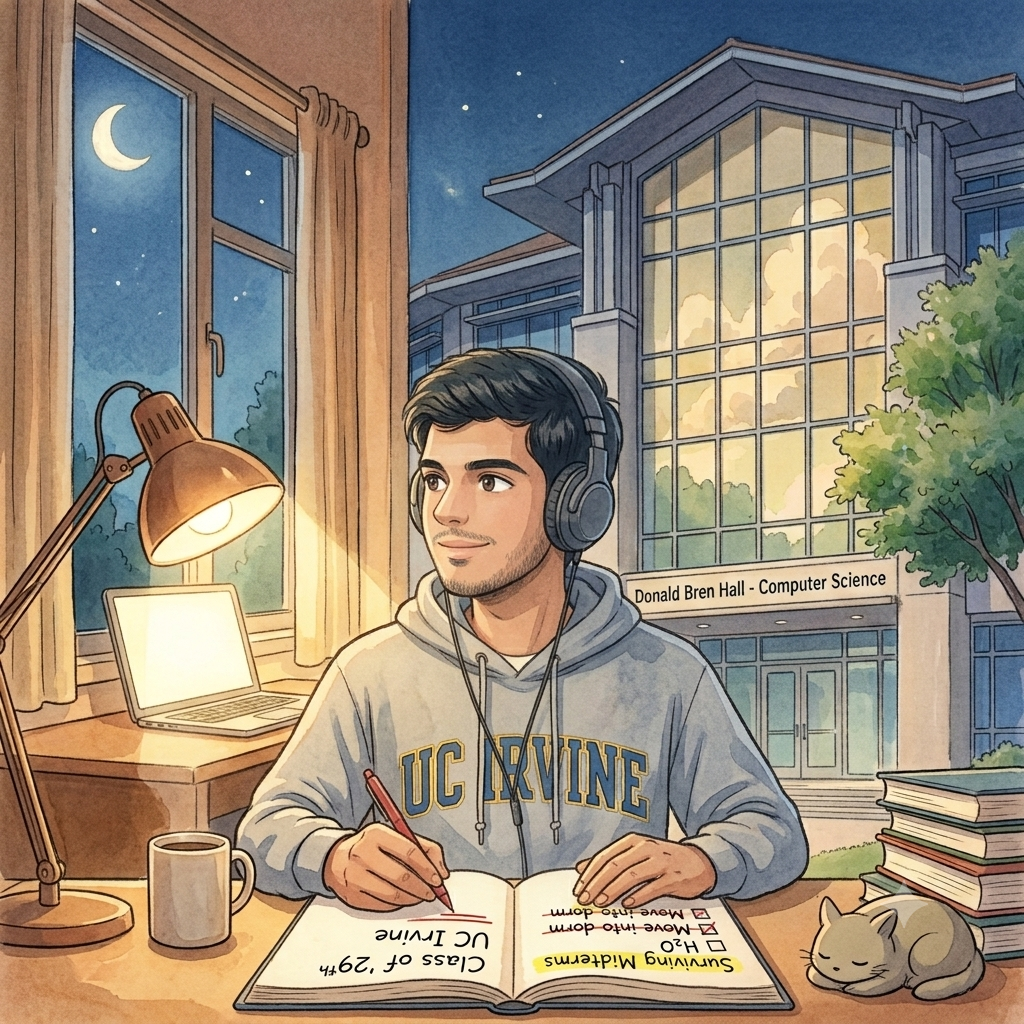
Sahil’s Week 2 Update!
Sahil has survived his first full week of college classes at UC Irvine! Between joining the campus swimming club, finding coffee spots, and studying for midterms, he is trying to keep his college life organized.
He wants to add a “Notebook & Goals” section to his website to track his progress and stats. He needs your help writing this page using 5 new text-formatting tags!
Sahil’s Request for Today⌗
“Hey again! Thanks for helping me set up my main homepage. Today, I want to build a digital notebook page to track my goals, stats, and checklist.”
“Here is what I need you to write for me:”
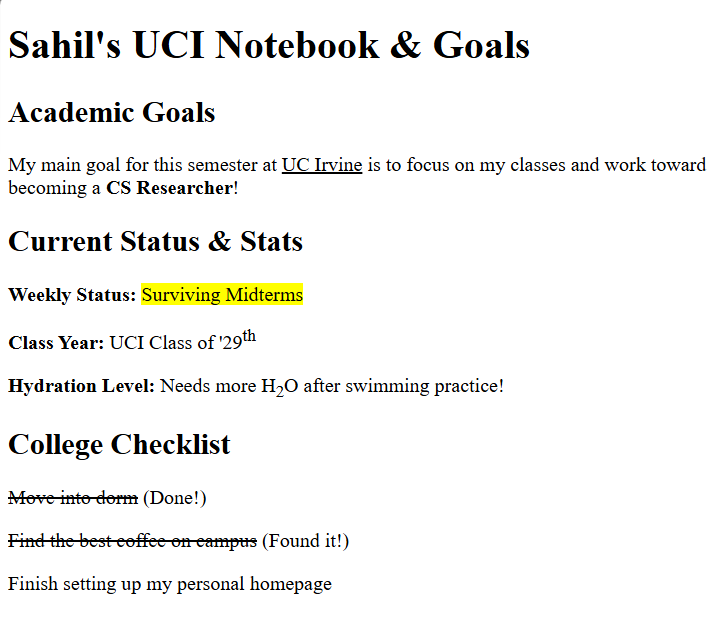
- Academic Goals Paragraph: Write a sentence about my goal to focus on classes and become a CS Researcher. I want to underline UC Irvine to emphasize my campus pride.
- Current Status & Stats:
- Highlight Surviving Midterms so anyone visiting sees my current focus instantly.
- Write my graduation year as Class of ‘29th (with the th raised up).
- Mention my water intake after swimming practice as H2O (with the 2 lowered down).
- College Checklist: Create a list of 3 dorm tasks, and cross off the ones I’ve already completed (like moving into my dorm) using a line through the text.
Objectives⌗
- Learn how to underline key text (
<u>) - Learn how to highlight text (
<mark>) - Learn how to format superscript (
<sup>) and subscript (<sub>) - Learn how to cross off text using strikethrough (
<s>)
Objective 1 — Underline (<u>)⌗
Simple Definition⌗
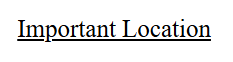
The <u> tag draws a horizontal line under text to emphasize key terms, titles, or locations.
Example⌗
<u>Important Location</u>
Objective 2 — Highlight (<mark>)⌗
Simple Definition⌗
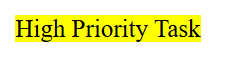
The <mark> tag adds a bright yellow background behind text, making it stand out like a physical highlighter pen.
Example⌗
<mark>High Priority Task</mark>
Objective 3 — Superscript (<sup>) & Subscript (<sub>)⌗
Simple Definition⌗
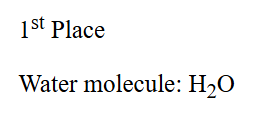
<sup>(Superscript) raises text slightly above the normal line of text.<sub>(Subscript) lowers text slightly below the normal line of text.
Example⌗
1<sup>st</sup> Place
Water molecule: H<sub>2</sub>O
Objective 4 — Strikethrough (<s>)⌗
Simple Definition⌗
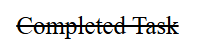
The <s> tag draws a line straight through text. It is commonly used to show things that are no longer accurate or tasks that have been completed.
Example⌗
<s>Completed Task</s>
Guided Activity — Build Sahil’s Notebook Page⌗
PART 1 — Project Setup⌗
- Open VS Code.
- Go to File → Open Folder and select your
Sahil_Projectfolder. - Create a new file named:
sahil_day2.html.
PART 2 — Expected Browser Output⌗
Here is what Sahil’s completed notebook page will look like once we write the HTML together:
PART 3 — Starter Code (We will write the content together live!)⌗
Paste this starter boilerplate into sahil_day2.html. We will fill in the <body> together in class!
<!DOCTYPE html>
<html>

<head>
    <title>Sahil's Notebook & Goals</title>
</head>

<body>
	<!-- START WRITING HERE -->


	<!-- STOP WRITING HERE -->
</body>

</html>
Independent Activity — Your Portfolio Goals!⌗
Now it’s your turn! Upgrade your own portfolio site by creating a personal stats and goals page.
Instructions:⌗
- Open your
Portfoliofolder in VS Code. - Create a new file named
portfolio_day2.html. - Copy the starter template above into your file and build your page using
<h1>,<h2>, and your 5 new paired tags.
Your Portfolio Prompt⌗
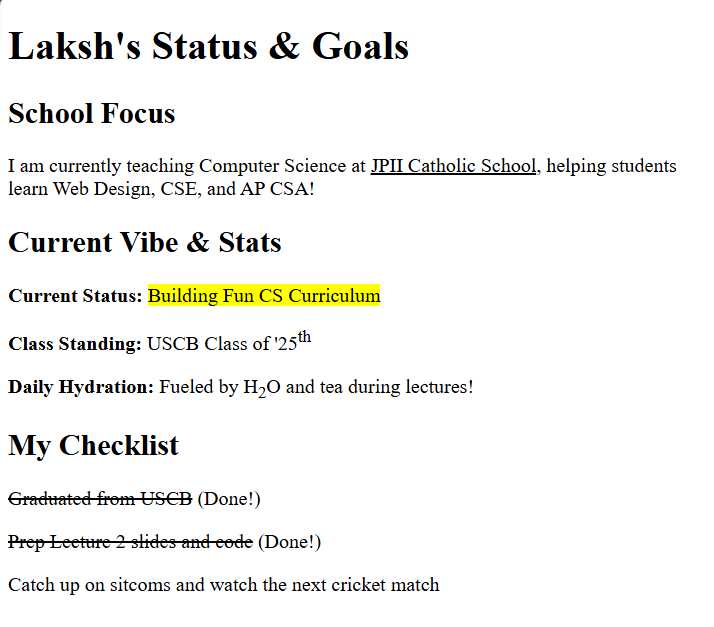
Your page must include the following 4 sections:
- Main Title (
<h1>):[Your Name]'s Status & Goals - School Focus (
<h2>&<u>): A short paragraph mentioning your school name or grade level, underlined with<u>. - Current Vibe & Stats (
<h2>,<mark>,<sup>,<sub>):- A highlighted current status using
<mark>(e.g.,<mark>Learning HTML</mark>). - A date or rank using
<sup>(e.g.,1<sup>st</sup> day of classor10<sup>th</sup> Grade). - A small detail using
<sub>(e.g.,Favorite drink: H<sub>2</sub>OorBase<sub>10</sub> math).
- A highlighted current status using
- My Checklist (
<h2>&<s>): A list of 3 personal goals or tasks for this week, with at least 1 task crossed off using<s>.
Example Solution⌗
Submission Instructions⌗
Submit your work in Google Classroom under In‑Class Exercise 2 by:
- Opening your Google Doc from Lecture 1.
- Pasting your HTML code from both
sahil_day2.htmlandportfolio_day2.html. - Adding screenshots of both rendered pages from your browser.
- Turning in the document!
Summary: New Tags Learned Today⌗
| Tag | Name | What It Does | Example |
|---|---|---|---|
<u> | Underline | Underlines text | <u>Underlined</u> |
<mark> | Highlight | Adds yellow highlight behind text | <mark>Highlighted</mark> |
<sup> | Superscript | Raises text above line | 1<sup>st</sup> |
<sub> | Subscript | Lowers text below line | H<sub>2</sub>O |
<s> | Strikethrough | Crosses out text with a line | <s>Completed</s> |